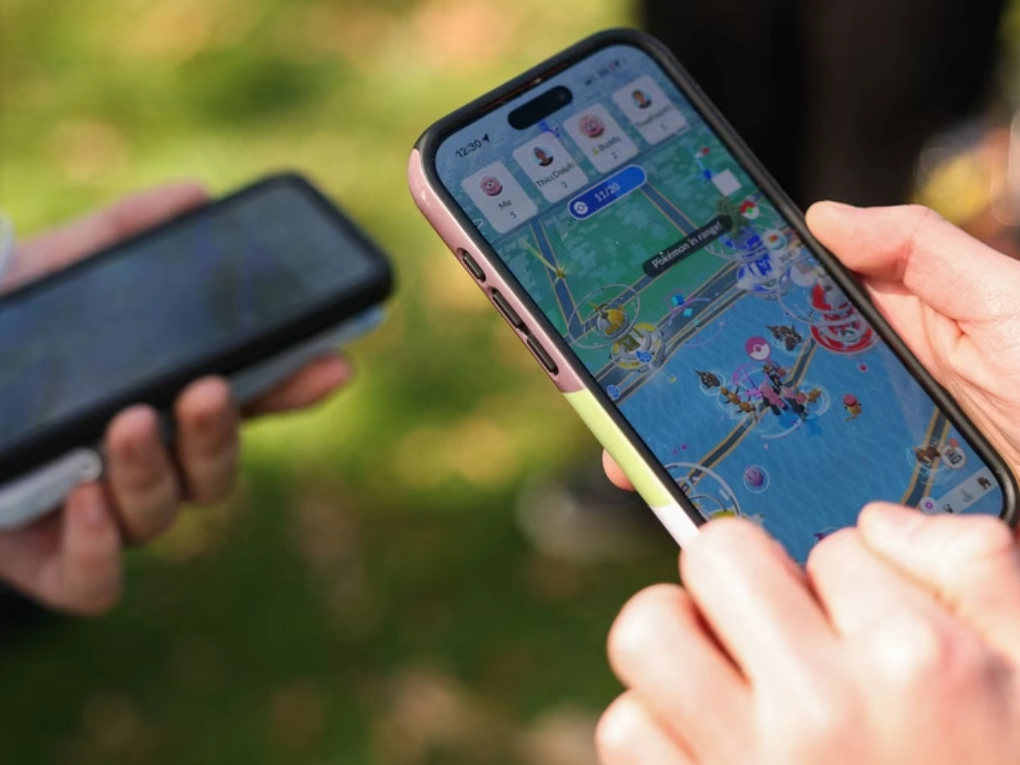
There is nothing quite as frustrating as heading out for a scheduled Raid Hour, activating a Lucky Egg, or encountering a rare spawn only to be greeted by a spinning Poké Ball loading icon and an unexpected error message.
If you are currently experiencing a pokémon go outage, you are far from alone. Major server interruptions and connectivity glitches can affect tens of thousands of trainers worldwide at once. During widespread downtime, players frequently report being kicked out of live battles, failing to authenticate through Google or Pokémon Trainer Club (PTC), or seeing persistent messages like “Network Error (2)”.
In this comprehensive guide, we examine why Pokémon GO outages happen, how to verify real-time server status, what specific error messages mean, and practical steps you can take to get back into the augmented reality world.
Live Status: What Happens During a Massive Pokémon GO Outage?
When a server crash strikes Pokémon GO, the impact is immediate and widespread across both iOS and Android ecosystems. During major incidents, monitoring platforms such as Downdetector and community trackers record massive spikes in incident reports within minutes.
Breakdown of Outage Symptoms
Reports collected during major outages typically break down into three primary categories:
- Game Launch & Startup Failures (~60–65%): The app freezes on the splash loading screen, loading past halfway before showing a connection timeout.
- Authentication & Login Errors (~20–25%): The game prompts users to sign out or states that authentication failed via Pokémon Trainer Club, Google Sign-In, Apple ID, or Facebook.
- In-Game Server & Sync Glitches (~10–15%): Players already inside the game experience red error banners at the top of the screen, empty Gyms, blank maps without PokéStops, and frozen catch screens.

How to Check If Pokémon GO Is Down (Official & Community Tools)
Before spending time reinstalling the app or tweaking your mobile data settings, check whether the issue originates on Niantic’s end. Use these authoritative resources to confirm a pokémon go outage:
| Monitoring Channel | Best Used For | Update Frequency | Direct Indicator |
| Downdetector / IsDown | Crowdsourced problem spikes | Real-time (Every minute) | Sudden vertical spike in user reports |
| Official Support Handles (X/Twitter) | Official developer acknowledgments | As incidents escalate | Statements regarding investigations & fixes |
| Niantic Known Issues Page | Long-term bugs & patch notes | Daily to weekly | Documented build errors & known status |
| Reddit (r/TheSilphRoad & r/pokemongo) | Regional tracking & live player tests | Real-time community feedback | Megathreads on global login failures |
| Local Community Discord / Campfire | Neighborhood gym & raid verification | Real-time localized reports | Nearby players experiencing identical drops |
Crowdsourced Monitoring Platforms
Third-party monitoring websites like Downdetector aggregate thousands of user problem submissions. A sudden spike from standard baseline noise (10–50 reports) to thousands of reports within minutes confirms a global or regional server breakdown.
Official Social Channels
When major infrastructure fails, the support team posts updates acknowledging that engineers are investigating the issue. Checking the official support social accounts helps verify whether server maintenance is underway.
Community Megathreads
The Silph Road community on Reddit acts as a fast-acting diagnostic network. Within seconds of a server hiccup, players worldwide post timestamps, operating systems, and geographical data detailing the disruption.
Decoding Pokémon GO Error Messages
Understanding the specific error code displayed on your screen helps you differentiate between a remote pokémon go outage and a local device malfunction.
+-------------------+-----------------------------------+---------------------------+
| Error Code        | Primary Cause                     | Is it a Global Outage?    |
+-------------------+-----------------------------------+---------------------------+
| Network Error (2) | API server communication timeout  | Almost always YES         |
| Error (11)        | GPS signal not found              | No (Local / Permission)   |
| Error (12)        | Failed to detect location         | No (OS Settings / Mock)   |
| Error (25)        | Pokémon already despawned / fled  | No (Game State Desync)    |
| Error (32)        | Gym battle timeout / raid sync    | Sometimes (Server Latency)|
| "Unable to Auth"  | Login gateway / PTC server down   | High probability YES      |
+-------------------+-----------------------------------+---------------------------+
Network Error (2)
Network Error (2) is the most common indicator of a server-side pokémon go outage. It appears when your client app makes an HTTP/WebSocket call to Niantic’s servers to fetch game data (such as gym states, spawn pools, or inventory sync), but the remote server fails to respond within the timeout window.
“Unable to Authenticate. Please Try Again.”
This error occurs during the handshake phase. Even if the core game world is operating normally, the authentication gateway handling authentication credentials (such as Google OAuth or Pokémon Trainer Club servers) can experience a standalone outage.
Error 11 & Error 12 (Location Errors)
- GPS Signal Not Found (11): Your device is unable to receive satellite telemetry or cell-tower trilateration data. This is typically caused by being indoors, deep underground, or having location permissions disabled.
- Failed to Detect Location (12): Often triggered if your operating system has “Mock Locations” enabled in Developer Options or if the app detects inconsistent location reporting.
Root Causes: Why Do Pokémon GO Outages Happen?
Because Pokémon GO relies on real-time augmented reality, precise geolocation rendering, continuous database writes, and synchronous multiplayer interactions, its technical infrastructure is complex. Several factors can lead to an unexpected outage:
1. Global Event Traffic Spikes
When major in-game events launch—such as GO Fest, Tour events, Community Days, or new Legendary Raid rotations—millions of concurrent players log on simultaneously. If traffic exceeds forecasted capacity, database connection pools become exhausted, resulting in widespread timeouts.
2. Cloud Server and API Infrastructure Failures
Like many modern mobile games, Pokémon GO runs on scalable cloud infrastructure. If a major cloud provider suffers an outage in specific regions (such as US-East or EU-Central), all microservices dependent on that region will crash, leading to regional blackouts.
3. Faulty Server-Side Patches
The development team regularly pushes server-side hotfixes to adjust spawn mechanics, raid timers, or anti-cheat detection algorithms without requiring a client app update. Occasionally, a bad server-side configuration can corrupt API handshakes, temporarily taking the game offline.
4. Third-Party Authentication Disruptions
The login pipeline relies on external third-party authorization providers. If Google Accounts, Apple ID servers, or the Pokémon Trainer Club infrastructure experience downtime, users cannot generate active session tokens, regardless of the game engine’s health.
Step-by-Step Troubleshooting: How to Fix Pokémon GO Connection Issues
If community channels show that servers are fully operational but you are still encountering errors, the issue may be isolated to your device, network cache, or permissions. Follow these systematic steps to resolve local connectivity problems:
Step 1: Perform an Airplane Mode Toggle
Cycling your device’s network connections forces your phone to disconnect from congested cell towers and acquire a fresh IP address and DNS route.
- Swipe down (Android) or swipe from the top-right corner (iOS) to access your Quick Settings / Control Center.
- Tap the Airplane Mode icon to turn it on.
- Wait 10 to 15 seconds.
- Tap the icon again to turn Airplane Mode off and allow your 5G/LTE/Wi-Fi connection to reconnect.
- Launch Pokémon GO.
Step 2: Force Close and Clear App Cache
Cached asset bundles can become corrupted after background game updates, causing infinite loading loops.
-
For Android:
-
Open your phone’s Settings > Apps > Pokémon GO.
-
Tap Storage & Cache.
-
Tap Clear Cache (Avoid “Clear Storage/Data” unless necessary, as it resets your custom battle parties and settings).
-
Tap Force Stop, then reopen the app.
-
-
For iOS:
-
Swipe up from the bottom of your screen to open the App Switcher.
-
Swipe the Pokémon GO card upward to dismiss and force close it.
-
Relaunch the app.
-
Step 3: Utilize the In-Game “Refresh Game Data” Utility
The app includes a built-in diagnostics tool to rebuild internal database files without losing your account progress.
- If you can reach the main map screen, tap the Main Menu (Poké Ball icon).
- Tap Settings (gear icon in the top right).
- Scroll down and select Advanced Settings.
- Tap Refresh Game Data.
- Tap Yes when prompted. The app will restart and re-download fresh configuration files from the server.
Step 4: Toggle Automatic Date & Time
The app requires exact timestamp synchronization with its central server to manage spawn timers, egg hatching, and raid countdowns.
- Navigate to your phone’s Settings > System / General > Date & Time.
- Ensure Set Automatically or Automatic Time Zone is enabled. If it is already on, toggle it off and back on.
Step 5: Check and Reset Geolocation Accuracy
- Verify that Precise Location is turned on in your device’s location permissions for the app.
- On iOS: Settings > Privacy & Security > Location Services > Pokémon GO > Enable Precise Location and set to While Using the App.
- On Android: Settings > Location > App permissions > Pokémon GO > Select Allow only while using the app and enable Use precise location.
Comparison: Server-Side Outage vs. Local Device Issue
Use this comparison table to quickly diagnose whether your connection error is caused by a global pokémon go outage or a local hardware/network problem:
| Diagnostic Factor | Server-Side Outage | Local Device Issue |
| Downdetector Status | Rapid surge with thousands of reports | Normal baseline numbers (0–25 reports) |
| Other Mobile Apps | Browser, YouTube, social apps work fine | Other apps also fail or load slowly |
| Error Screen | “Network Error (2)”, “Failed to log in” | Error 11 (GPS), loading loop on Wi-Fi only |
| Community Feedback | Social media flooded with identical screenshots | No active mentions on Discord or Reddit |
| Effect of App Reinstall | Issue persists after reinstalling | Resolves the problem immediately |
| Switching from Wi-Fi to 5G | Fails across all connection types | Fixes the connection immediately |
What to Do If You Lost Items or Raid Passes During an Outage
One of the biggest concerns during an unexpected pokémon go outage is the loss of paid or limited consumable items—such as Premium Battle Passes, Remote Raid Passes, Star Pieces, Rocket Radars, or Incense.
+-------------------------------------------------------------------------+
|                  Item Recovery Workflow via Support                     |
+-------------------------------------------------------------------------+
| 1. Capture Screenshots (Error screen, journal showing lost encounter)   |
| 2. Navigate to: In-Game Settings -> Help -> "Contact Us"                |
| 3. Select Category: "Purchases and Items" or "Raid Issues"              |
| 4. Provide Raid Details (Raid Boss name, timestamp, type of pass used)  |
| 5. Automated bot verifies server log -> Pass credited to inventory     |
+-------------------------------------------------------------------------+
Steps to Request a Replacement:
- Open the app (once connectivity stabilizes).
- Tap the Poké Ball Menu > Settings > Help (top-right icon).
- Tap the Chat / Message icon in the upper corner to initiate a support ticket.
- Select the category matching your loss (e.g., Raid Issues or Items & Inventory).
-
State clearly:
-
The exact item lost (e.g., 1x Remote Raid Pass).
-
The approximate time and time zone of the incident.
-
The specific error code encountered (e.g., Network Error 2).
-
-
Attach screenshots of your in-game Journal if the raid crashed mid-battle.
Note: In cases of acknowledged, widespread outages, developers often issue global makeup events, bonus raid passes, or extended Community Day hours to compensate affected time zones.
Best Practices: Preparing for Major In-Game Events
To minimize disruptions during high-stakes events like GO Fest, Safari Zones, or Community Days, keep these proactive practices in mind:
- Download All In-Game Assets in Advance: Head to Settings > Advanced Settings > Download All Assets over a stable home Wi-Fi network before heading out. This reduces the need for the app to stream asset models over cellular data during high-traffic windows.
- Keep Backup Authentication Methods Linked: Link your account to at least two login providers (e.g., Google and Apple ID or Facebook). If one authentication service goes down, you can switch to the alternate provider.
- Avoid Activating Timed Consumables at the Start of an Event: Server load is highest during the first 15 to 30 minutes of a major global rollout. Wait until servers prove stable before popping a 60-minute Lucky Egg or Star Piece.
- Monitor Live Status Channels: Keep a community Discord, Telegram group, or social feed active on your device to stay informed of regional stability before entering remote raids.
Frequently Asked Questions (FAQ)
Is Pokémon GO down today?
To check if Pokémon GO is currently experiencing downtime, check real-time tracking sites like Downdetector or review player discussions on r/TheSilphRoad and official support channels. If reports are spiking into the thousands, a global or regional outage is likely underway.
What does “Network Error (2)” mean in Pokémon GO?
“Network Error (2)” indicates that your mobile app is unable to establish or maintain a stable communication handshake with Niantic’s servers. While it can occasionally be triggered by weak local mobile data, it is most commonly caused by server-side downtime, unexpected traffic surges, or API timeouts.
Why won’t Pokémon GO load past the halfway mark on the splash screen?
When the loading bar freezes around 50–60%, the app has loaded local assets and is attempting to authenticate your account with the remote server. If the authentication servers (Google, PTC, Apple) are unresponsive or your session token has expired during an outage, the bar will stall.
Will I get my Remote Raid Pass back if the server crashes during a raid?
Yes. You can contact support through the in-game Help menu. Select “Raid Issues,” explain that a server disconnect or Network Error 2 caused the loss, and the automated support system will verify your logs and credit the pass back to your item bag.
Why is Pokémon Trainer Club (PTC) down while Google logins work?
Pokémon Trainer Club runs on independent identity infrastructure managed by The Pokémon Company International, whereas Google and Apple handle authentication on their respective cloud identity networks. If PTC undergoes maintenance or technical issues, PTC users cannot log in even when core game servers are running normally.
Conclusion & Next Steps
Experiencing a sudden pokémon go outage can interrupt your gameplay schedule, but verifying whether the issue is server-wide saves you from unnecessary troubleshooting. By checking real-time monitoring tools, identifying specific error codes like Network Error 2, and knowing how to refresh your local game cache, you can quickly diagnose any connection hurdle.