Design has become a core literacy of the modern digital landscape. Whether you are crafting an eye-catching pitch deck, designing a resume, producing social media campaigns, or preparing instructional handouts, visual clarity matters.
Canva has established itself as the leading drag-and-drop design ecosystem across web, desktop, and mobile. While Canva’s free tier is impressively robust, anyone who has hit the paywall behind the One-Click Background Remover, Magic Resize, or the library of over 100 million stock photos and elements knows how valuable premium access can be.
This demand drives hundreds of thousands of people every month to search for ways to get Canva Pro free.
Unfortunately, that search often leads to questionable corners of the internet: modified APKs, suspicious browser extensions, hijacked team invites on forums, and outright malware.
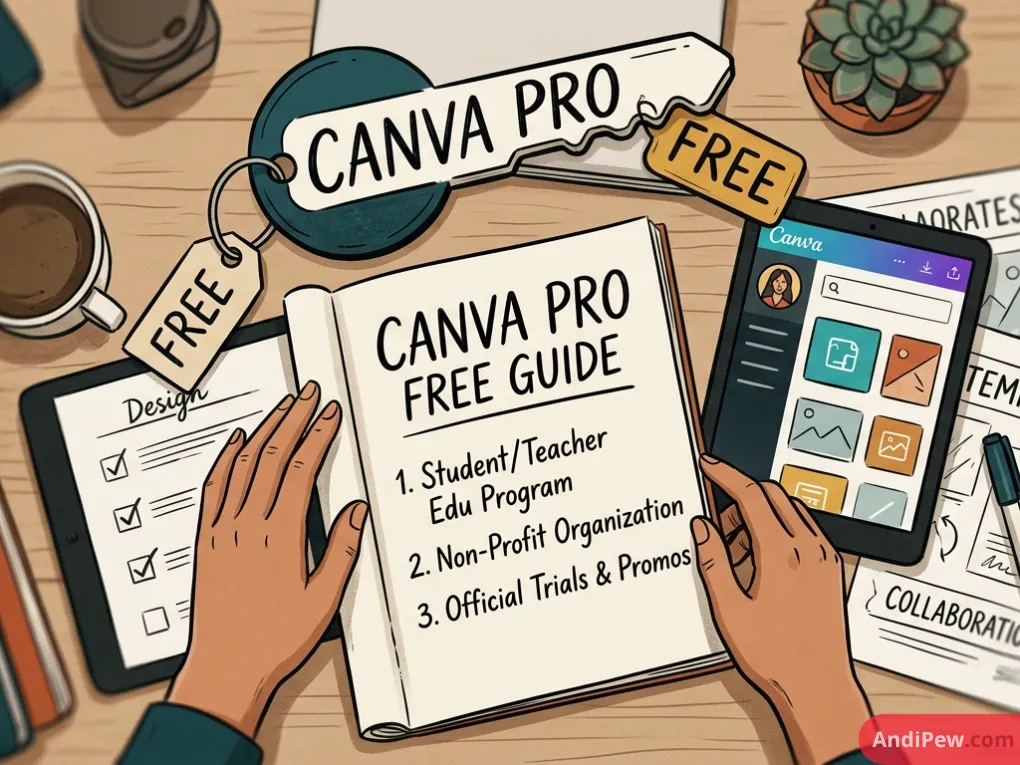
In this comprehensive guide, we will break down how to get Canva Pro free legitimately, identify who qualifies for full zero-cost access (including students, educators, and non-profits), evaluate official free trials, and unpack the serious security risks of so-called “lifetime hacks.”
If you are just getting started, make sure to read our foundational guide on how to create a Canva account and familiarize yourself with your workspace via our Canva dashboard overview.
Canva Free vs. Canva Pro: What Are You Actually Paying For?
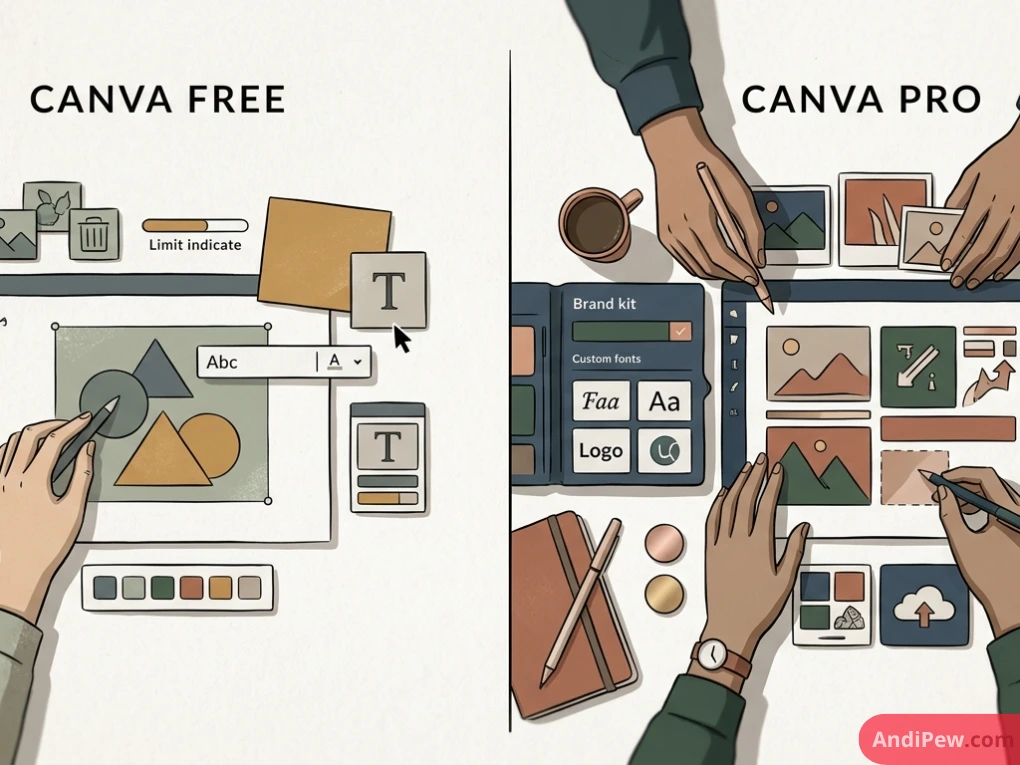
Before looking at how to get premium access, it helps to understand what sets Canva Pro apart from the standard free plan.
Canva’s free tier provides thousands of templates, basic shapes, fonts, and 5 GB of cloud storage. For casual hobbyists, this is often plenty. However, professionals, students, and creators regularly encounter obstacles that slow down their workflow.
Here is a side-by-side breakdown of the core differences:
| Feature | Canva Free | Canva Pro |
| Stock Assets (Photos, Videos, Audio) | ~1+ Million free assets | 100+ Million premium assets |
| Templates | 250,000+ basic templates | 610,000+ premium & seasonal templates |
| Background Remover | Not included (or strictly limited) | 1-Click photo & video background remover |
| Magic Resize | Manual copy & paste | Instant multi-format conversion |
| Brand Kits | 1 basic color palette | Up to 100 Brand Kits (fonts, logos, colors) |
| Cloud Storage | 5 GB | 1 TB |
| Transparent PNG Downloads | No (solid background only) | Yes |
| Export Formats & Quality | Standard resolution | High-res SVG, PDF print marks, custom dimensions |
| Content Planner / Scheduling | Not available | Direct scheduling to 8+ social platforms |
For advanced design tips and workflow tricks utilizing these tools, explore our library of Canva tutorials.
Canva for Education: The Best Legal Way to Get Canva Pro Free for Teachers
If you are a teacher, homeschool educator, or school staff member, you do not need to look for workarounds or discounts. Canva provides Canva for Education completely free.
Canva for Education delivers virtually all Canva Pro capabilities—plus dedicated classroom collaboration utilities—at zero cost to eligible educators and their students.
Who Qualifies for Canva for Education?
Canva for Education is specifically geared toward K-12 (primary and secondary) schooling. This includes:
- Certified teachers teaching recognized primary or secondary grades.
- School librarians, counselors, and specialized instructional staff.
- Recognized curriculum leaders and school administration staff.
- Officially registered homeschooling parents.
How Teachers Can Apply:
- Navigate to the official Canva for Education portal.
- Sign up or log in using your school-provided institutional email address.
- If your school domain is already recognized in Canva’s database, verification is often immediate.
- If prompted, submit secondary verification, such as an official teacher ID badge, employment verification letter, or state teaching credential.
- Once verified, your status updates automatically, granting unlimited access to premium classroom tools.
Canva Pro Free for Students: What Are Your Options?
Searches for canva pro free for students and canva pro free link for students spike at the start of every academic semester. However, the rules differ significantly depending on whether you are in high school or university.
K-12 Students (Primary & Secondary)
If you are in primary or secondary school, you can receive Canva Pro features at zero cost through your teacher.
Under Canva for Education:
- A verified teacher can generate an invite link or Google Classroom code.
- Students who join that specific class get access to all templates, fonts, the background remover, and multimedia libraries without paying anything.
- Individual K-12 students cannot verify an account on their own; it must be provisioned by a verified educator or school district.
Canva Pro Free for College Students: The GitHub Student Developer Pack
A frequent point of confusion is canva pro free for college students. Historically, higher education students could unlock 12 free months of Canva Pro via the GitHub Student Developer Pack.
Because partnerships between tech platforms evolve over time, college students should verify active inclusions directly through their GitHub Student dashboard.
Here is how higher-ed students can check and claim eligible creative perks:
- Enroll in the GitHub Student Developer Pack using your valid college or university
.eduemail address or enrollment verification documents. - Once approved, browse the Offers directory.
- Look for active creative and design credits, which frequently feature design subscriptions or extended free trials for platforms like Canva.
- If a direct partnership coupon is active, follow the partner redemption link to link your student profile.
If your college does not have an active partnership link, college students can still take advantage of Canva’s collaborative team billing, which dramatically reduces individual costs, or leverage the extended trial strategies detailed below.
Canva Pro Free for Non-Profits (Canva for Nonprofits)
Many organizations overlook one of Canva’s most generous programs: Canva for Nonprofits.
Canva offers its full premium toolset free of charge to registered non-profit organizations (501(c)(3) in the United States, registered charities in the UK and Canada, and equivalent non-governmental organizations globally).
What Non-Profits Receive:
- Up to 10 team seats with full Canva Pro functionality.
- Multiple brand kits to maintain organizational identity across fundraisers, social posts, and donor reports.
- 1 TB of centralized cloud storage.
- Direct collaboration tools to streamline marketing without hiring an expensive design agency.
How to Apply:
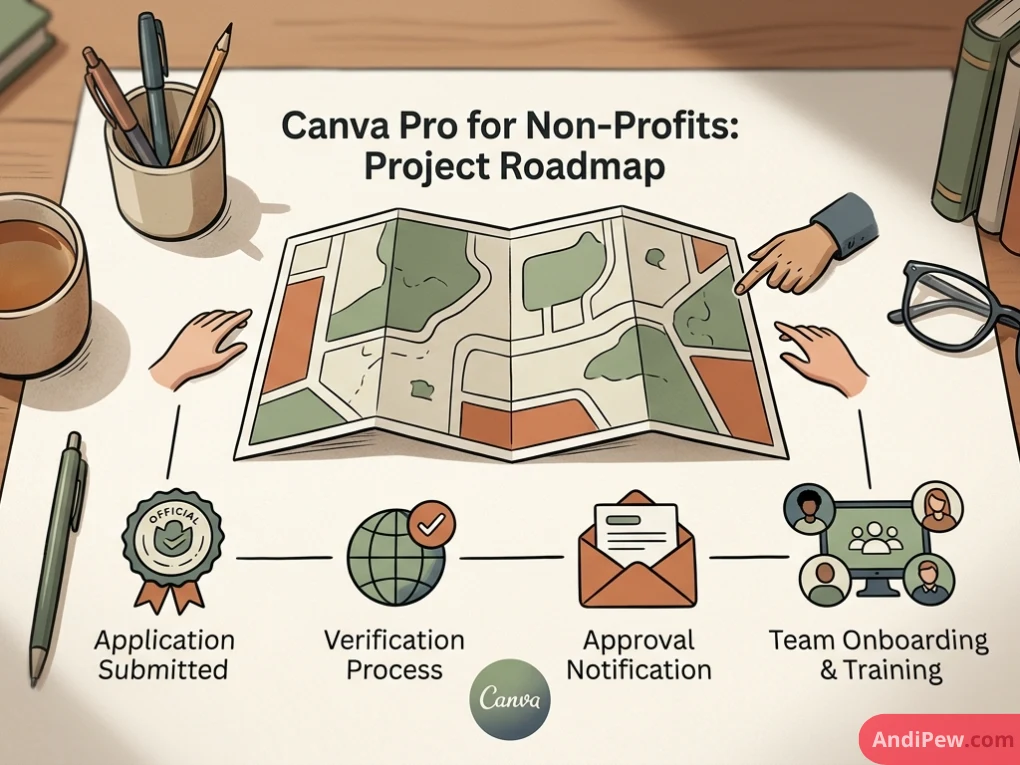
- Visit the Canva for Nonprofits registration page.
- Ensure your organization meets regional eligibility (commercial entities, political parties, and trade associations are strictly excluded).
- Submit your official non-profit documentation (such as your IRS 501(c)(3) determination letter or local registered charity documentation).
- Canva’s social impact team typically processes applications within several business days.
The Official Canva Pro Free Trial: Maximize Your Access
If you need premium capabilities for an immediate project—such as launching an event, preparing an executive presentation, or cleaning up images—the official canva pro free trial is the safest, most flexible route.
Standard 30-Day Free Trial
Canva consistently offers a 30-day trial for new Pro subscribers. During this window, you receive unrestricted access to every Pro feature:
- Unlimited 1-click background removal.
- Unlimited access to audio tracks, 4K stock video, and premium photography.
- Custom font uploads and multiple brand palettes.
- Magic Studio AI-powered design generators.
Extended Trials (45-Day or 60-Day Promotions)
Periodically, Canva partners with content creators, podcast hosts, and affiliate networks to offer extended 45-day or 60-day trial links. When these campaigns are running, clicking a partner link grants an extra two to four weeks of evaluation time before any charge occurs.
How to Manage Your Trial Responsibly:
- Set a calendar reminder: Mark your phone or calendar for 48 hours before the trial ends.
- Understand cancellation terms: If you cancel before the billing date inside your account settings, you will not be charged.
- Keep your files: Even if you cancel and revert to the free plan, you do not lose your designs. Your files remain accessible in your account, though you will no longer be able to export them with premium-only assets or re-run Pro tools like Magic Resize.
Canva Pro Free Download for PC & Mobile: What You Need to Know
A common misconception among users searching for canva pro free download for pc or canva pro free download for pc windows 11 is that downloading the desktop software automatically unlocks Pro tools.
Let’s clarify how the software operates:
The Official Canva Desktop App
Canva offers dedicated, high-performance desktop applications for:
- Windows 10 and Windows 11 (64-bit).
- macOS (both Apple Silicon and Intel architecture).
The desktop app is free to download directly from the Microsoft Store, Mac App Store, or Canva’s official site. It provides a cleaner workspace, eliminates distracting browser tabs, and offers smoother hardware acceleration.
However, the desktop client is an access portal, not an offline license. Your account tier (Free vs. Pro) is stored on Canva’s cloud servers. Downloading the desktop client on Windows 11 does not upgrade a Free account to Pro. Your subscription status remains identical whether you use Chrome, an iPhone, or a Windows PC.
The Dark Side: Why Canva Pro Free APKs and “Lifetime Hacks” Are Dangerous
If you browse search engines or discussion boards, you will encounter links advertising canva pro free apk, canva pro free apk latest version, or canva pro free hack.
These promises sound tempting, but understanding the underlying technology reveals why they are either complete scams or serious security risks.
Canva is a Cloud-Based Platform, Not a Local Executable
Unlike legacy photo editing software from decades ago—where a software serial key lived locally on your hard drive—Canva is a Software-as-a-Service (SaaS) platform.
When you click “Remove Background,” your local device does not perform the visual processing. Your browser or app sends an authenticated request to Canva’s cloud infrastructure, where machine learning algorithms process the image and send back the result.
Because authentication happens on Canva’s secure remote servers, an altered Android APK or modified Windows executable cannot force Canva’s cloud engines to process unauthorized Pro requests. At best, an APK “mod” simply hides the watermark visually on your screen while crashing or throwing an error the moment you attempt to download a high-res, print-ready file.
Malware, Keyloggers, and Data Theft
Websites offering canva pro free apk latest version downloads monetize their traffic through malicious software. According to standard cybersecurity research, unofficial APK files distributed outside the Google Play Store are one of the most common delivery vectors for:
- Banking Trojans: Malicious scripts designed to monitor input fields and capture passwords.
- Aggressive Adware: Background processes that drain battery life and push unwanted pop-ups.
- Token Hijackers: Code designed to steal saved session cookies from your mobile browser, compromising your personal accounts.
Public Reddit Links & Fake “Lifetime Team” Scams
Searching for canva pro free reddit frequently leads to posts advertising “Join my Canva Pro Team Free for Lifetime!”
Here is what is actually happening in those threads:
- Scammers set up fraudulent enterprise or educational trials using disposable credentials.
- They blast public join links across Reddit, Telegram, or Discord to build a follower base or sell low-cost “lifetime access” for a small payment.
- Once Canva’s security systems detect hundreds of unrelated global IP addresses joining an unauthorized team, the entire team is banned.
- Any personal, proprietary, or client design work you stored inside that team workspace is instantly lost, and your email address may be flagged for fraudulent activity.
There is no such thing as a legitimate canva pro free for lifetime license obtained from an anonymous forum link. Relying on unauthorized teams puts your creative projects and sensitive data at permanent risk.
How to Get Maximum Design Value Without Paying for Canva Pro
If you do not qualify for educational or non-profit programs and cannot sustain a monthly subscription, you can still produce high-end creative work.
By combining Canva’s free tier with specialized external tools, you can replicate nearly every major Pro feature without spending money or compromising security.
Replicating Key Pro Features for Free:
Background Removal
Instead of paying for Canva’s automated background tool:
- Use free, dedicated background removal services such as remove.bg or open-source solutions.
- Download your isolated subject as a transparent PNG.
- Upload that PNG back into your free Canva workspace.
High-Quality Stock Photos and Vectors
Canva’s free library is good, but external royalty-free repositories offer millions of additional studio-grade assets:
- Unsplash & Pexels: Outstanding for high-resolution lifestyle, travel, business, and nature photography.
- Pixabay: Comprehensive vector graphics, illustrations, and video clips.
- Freepik: Quality illustrations and icon packs.
- Download your chosen image and upload it directly into your Canva design canvas via drag-and-drop.
Professional Font Selection
While custom font uploading is a Pro feature, Canva Free includes dozens of standard Google Fonts directly in the font menu:
- Pair classics like Montserrat, Playfair Display, Lora, Inter, and Oswald.
- You can achieve elegant typography hierarchies without uploading external proprietary
.ttfor.otffiles.
Social Media Scheduling
Instead of using Canva’s built-in Content Planner:
- Export your finished graphics as standard PNG or JPG files to your desktop or phone.
- Use native, free scheduling platforms like Meta Business Suite (for Facebook and Instagram) or native scheduling tools built into LinkedIn, X, and Pinterest.
Best Practices for Budget-Conscious Teams & Freelancers
If you work with a small business or creative collective, there are cost-effective methods to access Canva Pro tools legally without paying full individual subscription prices:
- Canva for Teams: Instead of purchasing five separate individual Pro accounts, Canva for Teams allows multi-user pooling at a consolidated rate, offering centralized asset management, brand control, and collaborative review workflows.
- Project-Based Subscriptions: Turn your subscription on and off. If your design requirements are seasonal (for example, building marketing assets for a single product launch or conference), activate Canva Pro for a single month, build and export all required assets, and switch back to the free tier until your next campaign.
- Annual Billing Discounts: If you choose to subscribe, opting for annual billing rather than month-to-month billing significantly reduces the effective monthly cost.
Frequently Asked Questions (FAQ)
Can I get Canva Pro free for a lifetime?
No. There is no legitimate “lifetime free” license for Canva Pro. Canva operates entirely on a subscription-as-a-service model. Third-party websites or social media channels claiming to provide permanent access via special links or modified files are unauthorized, temporary setups that are routinely shut down by Canva’s security team.
Is Canva for Education identical to Canva Pro?
Yes. Canva for Education contains virtually all Canva Pro capabilities, including premium templates, the full stock media catalog, background removal tools, and brand kits. It also includes classroom-specific features like assignment management and integration with learning platforms like Google Classroom, Canvas, and Schoology.
Are Canva Pro APK mods safe to install on Android?
No. Modified APK files from third-party sites bypass app store security verifications and frequently carry malware, spyware, or keyloggers. Furthermore, because Canva processes image manipulations and exports on its cloud servers, modified APKs cannot unlock server-authenticated Pro functions.
How do college students get Canva Pro at a discount or free?
Higher education students should verify their status through the GitHub Student Developer Pack to see if active design partner benefits apply to their academic institution. Alternatively, university students can access Pro features if an instructor brings them into an approved Canva for Education class environment.
What happens to my designs if I cancel my Canva Pro free trial?
All designs you create during your free trial remain safely stored in your Canva account. After the trial lapses, your account simply reverts to the Free tier. You can still open, edit, and export your designs, provided they do not contain unpurchased premium stock assets or fonts.
Can I download Canva for PC on Windows 11 for free?
Yes. The official Canva desktop client is completely free to download from the Microsoft Store or Canva’s website. However, signing in with a free account gives you standard free functionality; it does not automatically grant Canva Pro access.
Unlocking the full power of Canva does not require resorting to shady downloads, questionable APKs, or temporary forum hacks.
If you are an educator, take advantage of the official Canva for Education initiative. If you run an eligible charity, apply for Canva for Nonprofits. If you have an urgent, time-sensitive creative project, use the official 30-day free trial to design and export your work securely without spending a cent.
And if you remain on the free tier, remember that combining Canva Free with high-quality open repositories like Pexels, Unsplash, and free external background removal tools delivers professional results without compromising your digital security.
Ready to elevate your design skills? Explore our step-by-step Canva tutorials to master typography, color theory, and layout structure—or head over to our guide on how to create a Canva account to start designing today!
🎁 Want Canva Education Access?
Need access to Canva Education for your design projects? I may be able to share a Canva Education membership with people who need it.
If you’re interested, simply leave your email address and location in the form below. I’ll contact you when access is available.
📩 Submit your details below to request access.
Please make sure your email address is correct so I can contact you.