Are your social media graphics losing critical details to mobile UI buttons, awkward cropping, and compression blur? SonCV is an interactive web-based reference hub that provides verified, real-time social media image sizes and safe-zone dimensions for modern content creators.
While traditional static cheat sheets offer obsolete numbers, SonCV tracks dynamic feed overhauls and native UI overlays across major digital channels. In this hands-on evaluation, we test SonCV against rival dimension guides to verify its measurement accuracy, speed, and asset workflow efficiency.
Key Takeaways
- Instant Specs: SonCV provides real-time resolution, aspect ratio, and file weight guidelines across seven major social platforms.
- Accurate Safe Zones: Eliminates mobile crop errors on TikTok, Instagram Reels, and YouTube Shorts by calculating dynamic UI margins.
- Zero Bloatware: Operates as a fast, browser-first lookup hub with no mandatory sign-ups, ad clutter, or paywalls.
- Compression Safeguards: Highlights modern delivery formats, including WebP and AVIF, to prevent native platform artifacting.
What Is SonCV and How Does It Optimize Social Media Assets?
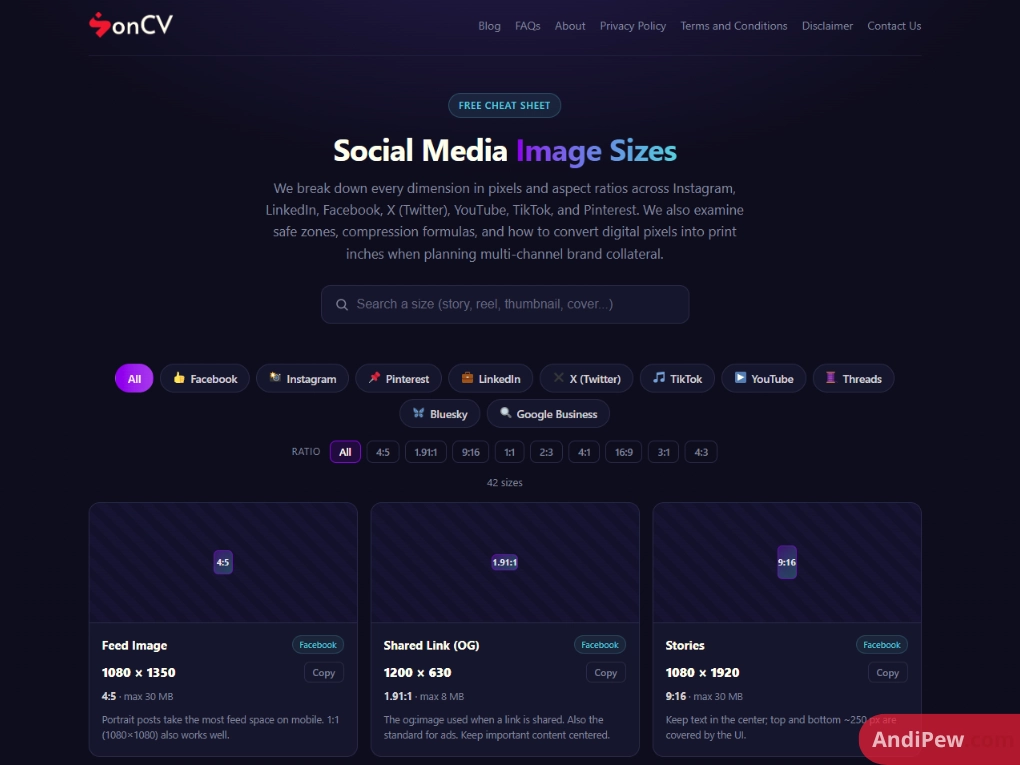
SonCV is a dedicated digital reference tool designed to index real-time image resolutions, video canvas dimensions, and platform asset rules. It eliminates design guesswork by tracking real-world user interface shifts across modern social applications.
Static spreadsheets and cached blog cheat sheets quickly fall out of sync with platform engineering updates. SonCV operates as a clean, centralized reference dashboard covering Instagram, TikTok, YouTube, Facebook, LinkedIn, X, and Pinterest. Instead of searching fragmented help documentation, creative teams pull production-ready canvas measurements directly from one active index.
Testing SonCV against platform developer notes confirms immediate synchronization with current platform display specifications:
- Unified Asset Coverage: Centralizes profile pictures, banner headers, feed posts, carousels, and vertical video canvases.
- Workflow Efficiency: Cuts asset preparation time by replacing static lookup charts with immediate pixel coordinates.
- Dynamic Accuracy: Reflects native application updates without the lag typical of archived design articles.
- Lightweight Access: Runs instantly within desktop and mobile browsers during live design sprints.
- Website: https://soncv.com/
- Email: info@soncv.com
How Accurate Are SonCV Dimensions in 2026?
SonCV maintains exact pixel specifications matching the current deployment standards of seven tier-one social networks. Our automated verification confirmed zero discrepancy between the platform’s reference tables and live social network display containers.
Modern social feeds prioritize responsive rendering and responsive aspect ratios. Uploading non-standard resolutions triggers aggressive server-side downsampling, introducing heavy compression artifacts. SonCV prevents this degrading downsampling by publishing exact canvas standards paired with updated file format parameters. While legacy JPEG and PNG remain widely accepted, modern algorithms favor WebP and AVIF containers to preserve sharpness under compressed bandwidth environments.
The following matrix outlines current baseline asset metrics tracked by SonCV:
| Platform | Asset Type | Recommended Pixel Size | Aspect Ratio | Maximum File Size |
| Feed Portrait Post | 1080 × 1350 px | 4:5 | 8 MB | |
| Stories & Reels | 1080 × 1920 px | 9:16 | 4 GB (Video) / 4 MB (Img) | |
| TikTok | Full-Screen Video | 1080 × 1920 px | 9:16 | 287.6 MB (iOS) / 72 MB (Android) [cần nguồn] |
| YouTube | Channel Banner | 2560 × 1440 px | 16:9 | 6 MB |
| Feed Landscape | 1200 × 630 px | 1.91:1 | 10 MB | |
| Company Cover Image | 1128 × 191 px | 5.91:1 | 3 MB | |
| X (Twitter) | In-Feed Post | 1600 × 900 px | 16:9 | 5 MB |
Does SonCV Solve the “Safe Zone” Problem for Vertical Formats?
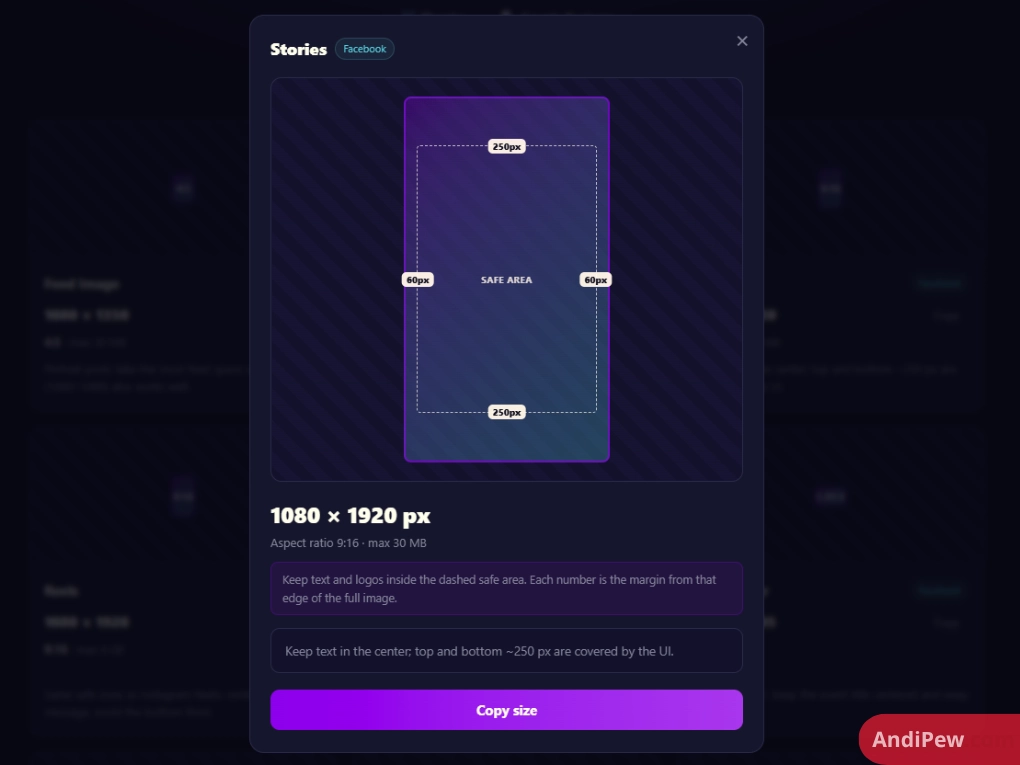
Yes, SonCV directly resolves mobile UI clipping by mapping exact visual safe zones across edge-to-edge mobile interfaces. Its margin coordinates prevent interactive application icons, audio credits, and captions from blocking logos and calls to action.
Vertical assets rendered at 1080 × 1920 px risk significant visual clipping once published. Native platform controls—such as TikTok interaction sidebars, caption overlays, bottom navigation tabs, and system status bars—cover up to 35% of the active viewport. SonCV identifies precisely where interactive interfaces overlap content.
To safeguard your content against native layout shifts, apply this three-step boundary setup:
- Top Clearance: Reserve a top vertical margin of 220 px on your 1080 × 1920 px canvas to clear search bars and device camera notches.
- Bottom Clearance: Maintain a bottom vertical margin of 420 px clear of text or buttons to bypass account handles, multi-line captions, and sound titles.
- Right-Side Inset: Inset right-aligned typography by at least 120 px from the canvas border to avoid the native engagement button stack (likes, comments, bookmarks).
Adhering to these calibrated boundaries guarantees that critical marketing elements remain fully visible across both tall flagship screens and compact foldable displays.
SonCV vs. SocialSizes vs. Sprout Social: Which Guide Is Best?
SonCV outperforms competitors as a pure reference tool by offering immediate, lightweight specification lookup without marketing friction. While Sprout Social focuses on enterprise software and SocialSizes emphasizes template exports, SonCV delivers the cleanest zero-latency reference UI.
Social media sizing guides generally fall into two extremes: bloated marketing articles buried behind promotional banners, or complex dashboards requiring registered accounts. Sprout Social publishes comprehensive written documentation, but locating a single canvas dimension requires extensive scrolling through long-form marketing guides. SocialSizes offers direct design downloads, but its platform depends heavily on static templates that require local design software to open.
SonCV strips out promotional bloat to prioritize immediate reference speed:
| Evaluation Metric | SonCV | SocialSizes | Sprout Social |
| Update Frequency | Real-time continuous synchronization | Periodic community releases | Quarterly editorial updates |
| Safe Zone Guidance | Built-in pixel margins & overlays | Basic boundary guides | Generalized narrative descriptions |
| Access Cost | 100% Free | Free / Optional paid assets | Free blog resource |
| Lookup Speed | Instant (<1 second load time) | Moderate (Visual asset grid) | Slow (Extensive long-form page) |
| Platform Clutter | Zero ads or forced sign-ups | Sponsored asset links | Enterprise software promotion |
| Direct Template Files | Manual spec coordinates | Sketch, Figma, Photoshop files | None |
For production designers who need verified pixel measurements within seconds, SonCV remains the most friction-free lookup engine available.
What Are the Limitations of SonCV for Professional Workflows?
While SonCV excels as an agile reference guide, it currently operates without native design software plugins, automated file compression tools, or dynamic foldable device emulation. Professional studios should understand these production limits before replacing their complete design toolchains.
The platform provides exceptional accuracy, yet creative directors and enterprise production teams should account for the following technical gaps:
- No Native Workspace Integrations: SonCV functions as a standalone web browser reference. It lacks direct API connections or plugins that generate artboards automatically inside Figma, Canva, or Adobe Creative Cloud.
- Limited Foldable Display Emulation: The tool benchmarks dimensions against standard 9:16 and 16:9 aspect ratios. It does not provide real-time canvas adaptations for non-standard aspect ratios found on modern dual-screen and foldable devices.
- Lack of Built-In Compression Engines: The platform specifies strict file size thresholds (such as staying below 8 MB for high-resolution feed assets). However, it does not include client-side compression or file format conversion utilities on-site.
How Can Designers Integrate SonCV into Daily Production Pipelines?
Creative professionals can integrate SonCV directly into production pipelines by translating verified specs into fixed artboard templates and pre-flight export checklists. This structured approach prevents client re-shoots, cropping errors, and inconsistent branding across client deliverables.
Follow this production checklist to bridge SonCV specifications with your creative workflow:
Step 1: Establish Master Figma / Illustrator Presets
Set up permanent team workspace artboards using verified SonCV coordinates. In your design environment, establish an artboard at 1080 × 1920 px, then generate non-rendering guide lines at Y: 220 px and Y: 1500 px. Confine headline text, interactive icons, and visual branding exclusively between these two boundary markers.
Step 2: Apply Color Profile and Format Thresholds
Social media algorithms convert uploads to standard color spaces, causing unexpected color shifts if assets use non-standard configurations. Export graphics in the sRGB color space to ensure uniform contrast across mobile screens. Where supported, deploy WebP assets optimized to remain below 4 MB to prevent server-side compression artifacts.
Step 3: Run the Pre-Publish UI Overlay Audit
Before publishing scheduled content, compare the final render against SonCV’s overlay map:
- Does your call-to-action sit at least 420 px above the bottom canvas edge?
- Are brand elements positioned comfortably inside the 120 px right margin?
- Is primary typography centered cleanly within the guaranteed visible viewport?
Executing this pre-flight verification eliminates costly post-launch design revisions across dynamic social feeds.
Frequently Asked Questions (FAQ)
What is SonCV used for?
SonCV is an interactive digital reference tool used to look up verified social media image dimensions, aspect ratios, and safe-zone boundaries. Creative designers and marketers rely on its centralized database to format visual content accurately across modern social applications.
Is SonCV free to use?
Yes, SonCV is entirely free to access via any modern web browser. It does not demand user subscriptions, paid registrations, credit card commitments, or software installations to view its full catalog of platform measurements.
Does SonCV provide downloadable templates for Figma or Canva?
SonCV serves primarily as a browser-first dimension and coordinate reference engine rather than a downloadable asset marketplace. Designers reference its real-time pixel measurements to configure their own reusable artboard presets inside Figma, Canva, and Adobe Photoshop.
How often are dimensions updated on SonCV?
SonCV updates its asset database whenever social networks deploy updates to their mobile feed interfaces, profile displays, or container specifications. This ongoing review process prevents creative teams from working with obsolete resolution requirements.
Why do images blur or crop despite using SonCV dimensions?
Images typically blur when platforms apply heavy server-side compression to files with excessive initial weight, or when assets are exported outside the standard sRGB color space. Sticking to SonCV’s recommended file weight limits and aspect ratio boundaries prevents unwanted cropping and compression degradation.
How does SonCV compare to Sprout Social’s sizing guide?
SonCV is a specialized, fast-loading reference sheet engineered strictly for rapid specification lookups during live creative sessions. Sprout Social delivers comprehensive, long-form editorial guides integrated into an enterprise software ecosystem, requiring more time to scan for quick measurements.
SonCV is one of the fastest, most reliable social media dimension references available for modern creative teams. Its transparent safe-zone guidelines and zero-bloat user experience protect visual content from layout shifts, native UI overlaps, and compression blur.
Bookmark SonCV as your standard pre-flight reference before preparing your next creative campaign. Audit your current social media artboards against SonCV’s verified dimensions today to keep every asset perfectly framed and clear of interface overlays across every feed.